Nov. 9, 2025, 8:42 a.m.
Errors
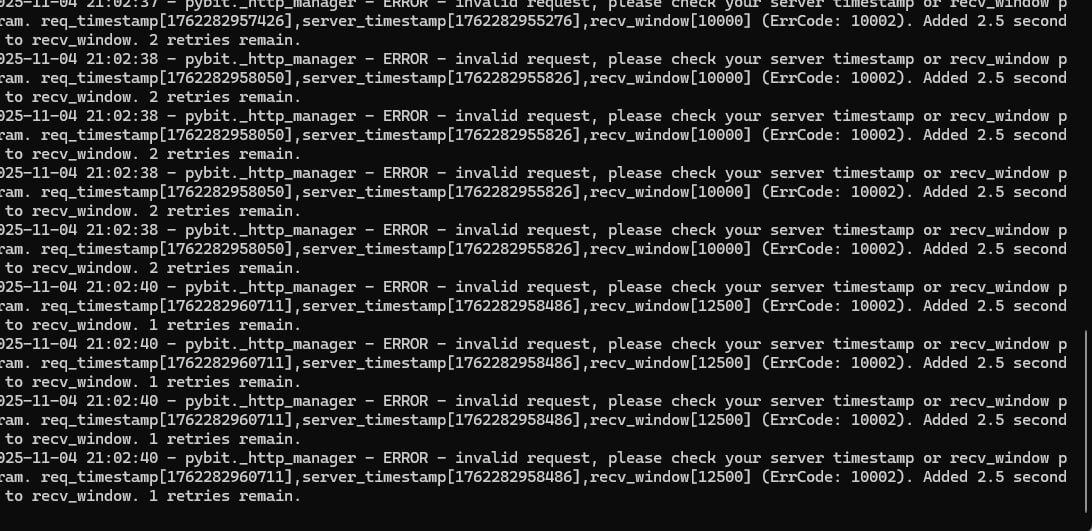
Symptom: The message Check your server timestamp appears in the app.
Cause: Your PC’s system time differs from the exchange server time — synchronization is required.
What to do
- In the taskbar, right-click the clock → Adjust date and time.
- Click “Sync now” and make sure Set time automatically is enabled.
- If the error persists, install a time synchronization utility:
- https://www.timesynctool.com/
#hashtags
Recent Posts
Smart-Take: Profit …
An optional take-profit function that closes a pr…
Trap Radar Bot: Pre…
A short pre-launch FAQ for Trap Radar Bot
Trap Radar Bot: Dir…
Direction and limit status is shown in Overview
Trap Radar Bot: Pos…
Each exit mechanism is enabled and configured sep…
Trap Radar Bot: How…
It is configured separately from DCA and uses the…
You might be interested
Spot Bot: Entry and Averaging Logic (Spot-Bot)
Spot-Bot operates on the “leader → altcoins” model.
The user selects a leader (BTC, ETH, or SOL), and the bot uses it as the main indicator of market direction.
The bot’s goal is to identify altcoins with strong correlation to the leader and open spot positions when growth probability is confirmed for both the leader and the altcoin.
Averaging Positions
Position averaging: trigger→confirmation scheme, timeframe cascade, market-phase settings, averaging examples
Indicator “Market Median”
“Market Median — 30m” is a single percentage value showing where, on average, the altcoin market sits relative to the midlines of its 30-minute regression channels over the last 1000 candles.