Discounts are not activated automatically — your account must be correctly linked via your Bybit UID.
Step 1. Register on Bybit via the partner link
If you don’t have a Bybit account yet, register using the link below:
https://partner.bybit.com/b/88853
Important:
Discounts are available only for accounts registered via this link.
Step 2. Enter your Bybit UID in the Top Up Balance section
- Open the Top Up Balance section.
- Enter your Bybit UID.
- Click Save UID.
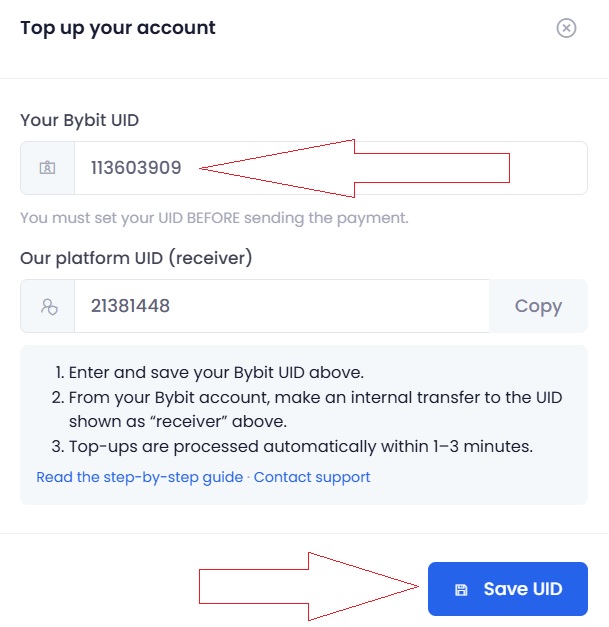
The UID is used to:
- identify deposits;
- verify referral status;
- activate partner discounts.
Step 3. Verify and activate partner status
After saving your UID, go to account settings:
https://crypto-resources.com/dashboard/account/settings/
Click Update & Check Status.
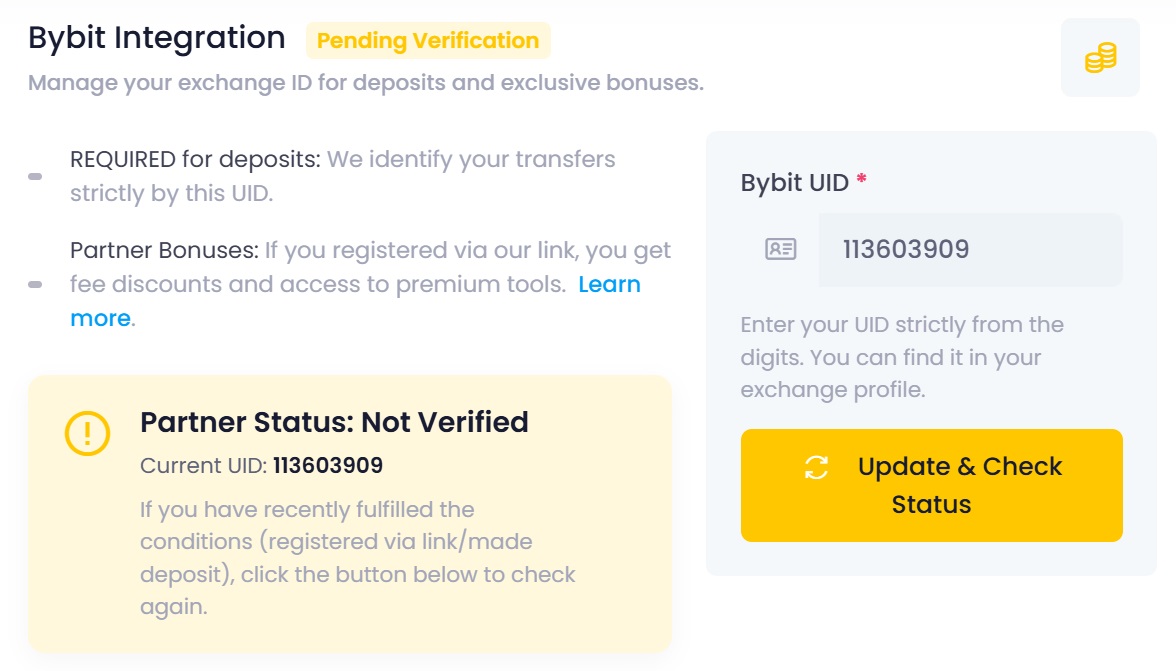
The platform will check your UID against our Bybit referral list.
If the following Bybit conditions are met:
- registration via the partner link;
- KYC completed;
- minimum account balance present;
- trading activity detected,
— partner discounts will be activated automatically.
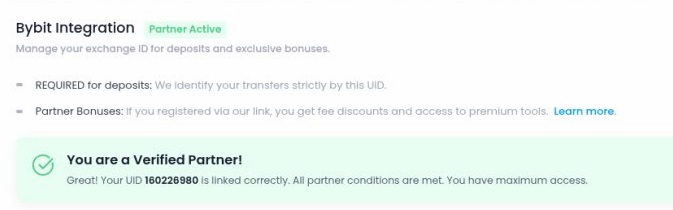
What you get after activation
- reduced 20% trading fees when using bots;
- 20% discount on PRO screeners;
Important
If your Bybit account was created outside the partner link, discounts will not apply — even if the UID is entered correctly.
In this case, the status will remain Not Verified.
How to Transfer Your Identity to Another Account
https://www.bybit.com/en/help-center/article/How-to-Transfer-Your-Identity-to-Another-Account