Creating Trap Radar
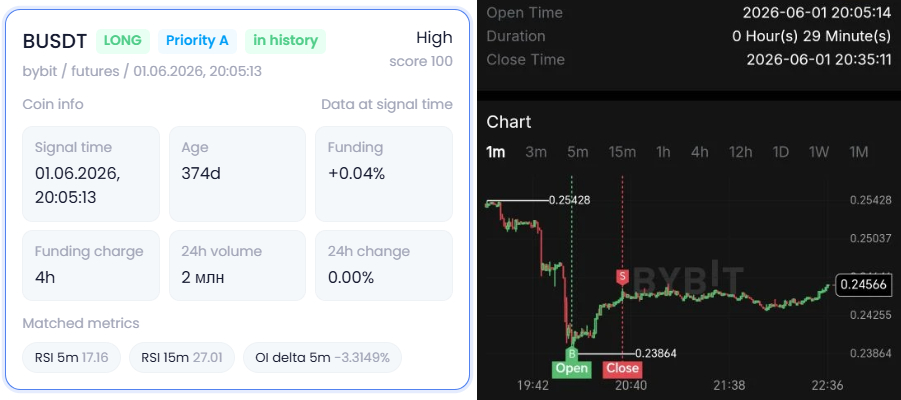
Trap Radar searches for signals based on configured conditions. When the conditions match, the signal appears in history and opens on the radar page.
Quick start
Open Trap Radar settings.
 Ф
Ф
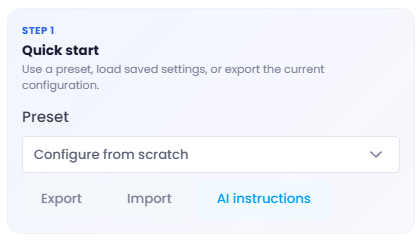
In Quick start, use:
- Configure from scratch — create a new radar.
- Export — export settings to JSON.
- Import — upload settings from JSON.
- AI instructions — get instructions for preparing or editing a configuration.
Core radar parameters
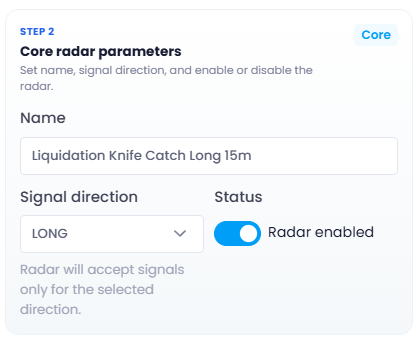
In Core radar parameters, set:
- Name — radar name.
- Signal direction — LONG or SHORT.
- Status — enabled or disabled.
Market and coin filter
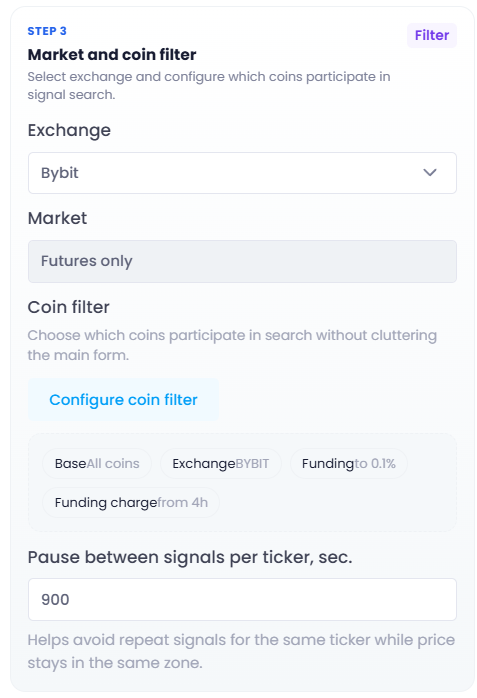
In Market and coin filter, select the exchange:
- Bybit
- Binance
Market: Futures only.
Click Configure coin filter to set ticker selection:
- daily volume;
- age;
- funding;
- funding charge frequency;
- Bybit copy trading;
- Bybit innovation zone;
- whitelist;
- blacklist.
After configuration, click Save filter.
Pause between signals per ticker, sec. — delay before a repeat signal.
Indicator settings
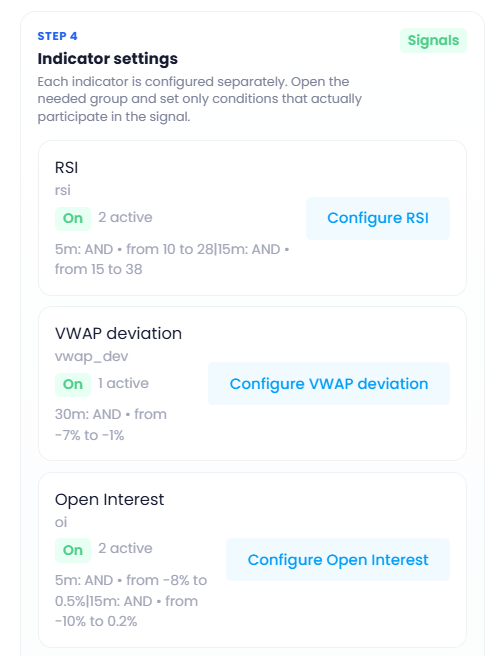
In Indicator settings, select the conditions used in the signal.
Available blocks:
- RSI
- VWAP deviation
- Open Interest
- Market pulse
- Price
- Liquidations
- Volume spike
- CVD
Each indicator card shows status, number of active rows, and a short summary of the conditions.
Click Configure in the needed card to edit its parameters.
Condition rows
Inside each indicator, conditions are configured by rows.
Each row includes:
- metric;
- timeframe;
- value range;
- row status.
An active row participates in the signal. An inactive row is ignored.
Minimum OR matches for a signal
This field is used only for conditions with OR logic.
If the field is empty, matching all required AND conditions is enough for a signal.
If a number is set, at least that many OR-tagged conditions must also match.
If there are no active OR rules, leave the field empty.
Save
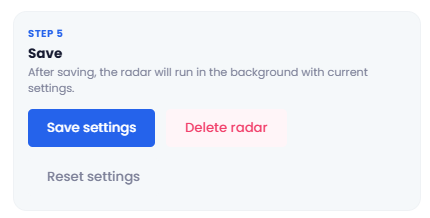
After configuration, click Save settings.
Additional actions:
- Delete radar — delete the current radar.
- Reset settings — reset the current parameters.