Nov. 6, 2025, 3:58 p.m.
Bot Settings
To receive notifications about your trading bots’ position closes — follow these steps:
- Open @BotFather in Telegram, click Start, and create a bot (set the name and @username).
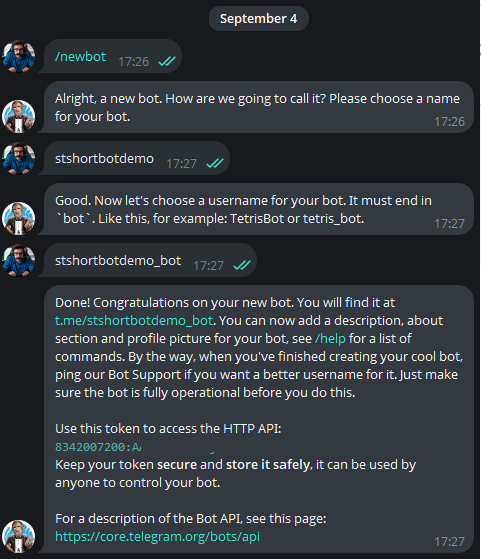
- Save the issued API key (token).
- In your platform account, go to TG Bot and paste the token into the corresponding field.
- Open your newly created bot in Telegram and press Start.
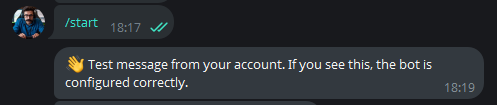
- Done — notifications about closed trades, will be delivered to your personal bot.
Multiple Bots & Channel Posts
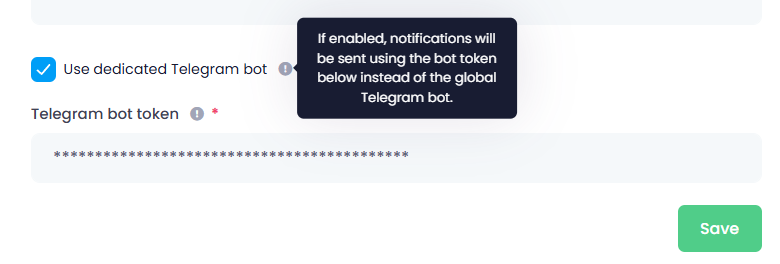
- You can create a separate Telegram bot for each trading bot to receive dedicated notifications.
- If you add main telegram-bot as admin to your Telegram channels, it can post public messages about closed trades with your referral link.
A detailed guide on configuring channel posts will follow in the next manual.
#hashtags
Recent Posts
Smart-Take: Profit …
An optional take-profit function that closes a pr…
Trap Radar Bot: Pre…
A short pre-launch FAQ for Trap Radar Bot
Trap Radar Bot: Dir…
Direction and limit status is shown in Overview
Trap Radar Bot: Pos…
Each exit mechanism is enabled and configured sep…
Trap Radar Bot: How…
It is configured separately from DCA and uses the…
You might be interested
Spot Bot: Entry and Averaging Logic (Spot-Bot)
Spot-Bot operates on the “leader → altcoins” model.
The user selects a leader (BTC, ETH, or SOL), and the bot uses it as the main indicator of market direction.
The bot’s goal is to identify altcoins with strong correlation to the leader and open spot positions when growth probability is confirmed for both the leader and the altcoin.
Averaging Positions
Position averaging: trigger→confirmation scheme, timeframe cascade, market-phase settings, averaging examples
Indicator “Market Median”
“Market Median — 30m” is a single percentage value showing where, on average, the altcoin market sits relative to the midlines of its 30-minute regression channels over the last 1000 candles.