
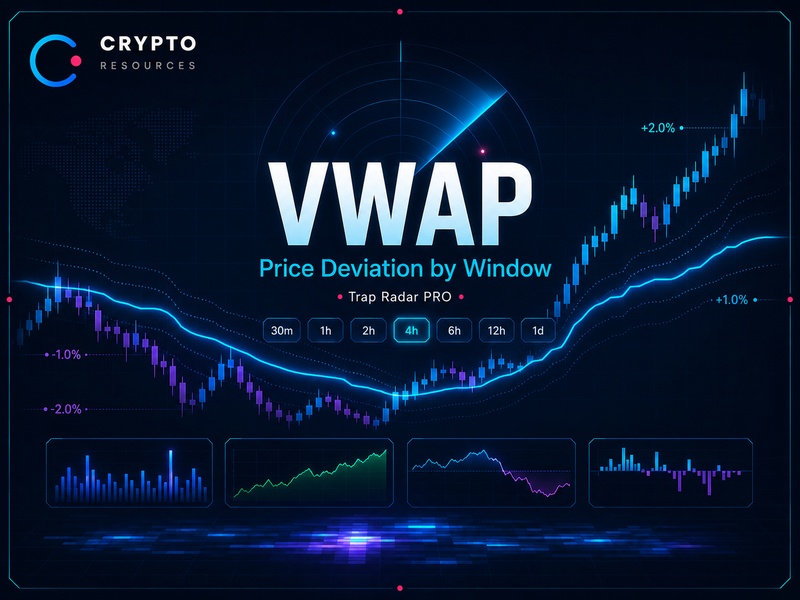
VWAP trading uses the volume-weighted average price. In Trap Radar PRO, we work with VWAP deviation: the percentage distance between the current price and VWAP calculated for a selected window.
The Radar calculates deviation separately for 30m, 1h, 2h, 4h, 6h, 12h and 1d. For example, vwap_dev_1h_pct shows how far the current price is above or below VWAP calculated over the last hour.
This makes local imbalance easier to spot. Price can move above the average after a pump or below the average after a flush. That imbalance is then checked against OI, CVD, liquidations, volume, RSI and the funding rate.
What VWAP Deviation Means
VWAP deviation is the distance between the current price and VWAP of the selected window, expressed as a percentage.
If the value is above zero, price is above VWAP for that window.
If the value is below zero, price is below VWAP for that window.
If the value is close to zero, price is trading near the local VWAP zone.
Trap Radar PRO uses separate parameters:
vwap_dev_30m_pct— price deviation from 30-minute VWAP.vwap_dev_1h_pct— price deviation from 1-hour VWAP.vwap_dev_2h_pct— price deviation from 2-hour VWAP.vwap_dev_4h_pct— price deviation from 4-hour VWAP.vwap_dev_6h_pct— price deviation from 6-hour VWAP.vwap_dev_12h_pct— price deviation from 12-hour VWAP.vwap_dev_1d_pct— price deviation from 1-day VWAP.
Each value belongs only to its own period. A 30m deviation describes a local slice. A 4h or 12h deviation shows a wider imbalance.
Why the Window Matters
The window defines the period used for the volume-weighted average. A shorter window reacts faster to impulse moves. A wider window is more stable and captures broader context.
For a short pullback after a pump, 30m, 1h or 2h can often be enough.
For a wider overheating setup, 4h, 6h, 12h or 1d may be more useful.
If price is above 30m VWAP, that can be a local push. If price is above 4h or 12h VWAP, the market has moved away from the average across a wider area. When several windows align, the filter is more reliable than a single deviation.
The same logic works to the downside. Price below 30m VWAP can be a local flush. Price below 4h or 12h VWAP shows a wider move below the average.
Threshold, Range, AND and OR
VWAP deviation can be checked through a threshold or a range.
Threshold mode checks whether the value has crossed a set level.
Examples:
vwap_dev_30m_pct >= 0— price is at or above 30m VWAP.vwap_dev_1h_pct >= 1— price is at least 1% above 1h VWAP.vwap_dev_4h_pct <= -1.5— price is at least 1.5% below 4h VWAP.vwap_dev_12h_pct <= 0— price is at or below 12h VWAP.
Range mode checks whether the value sits between two boundaries.
Examples:
vwap_dev_1h_pctfrom0.5to2— price is above 1h VWAP inside the selected range.vwap_dev_2h_pctfrom-2to-0.5— price is below 2h VWAP inside the selected range.vwap_dev_4h_pctfrom-0.3to0.3— price is trading near 4h VWAP.
AND conditions form the required part of the signal. If an active condition is marked as Required, it must match.
OR conditions work as additional matches inside a group. They are useful when checking several VWAP deviation windows without requiring every window to match at the same time.
Example for a short configuration:
vwap_dev_30m_pct >= 1vwap_dev_1h_pct >= 1vwap_dev_2h_pct >= 1vwap_dev_4h_pct >= 0.8
If these rows are set as OR conditions, the Radar can treat the setup as valid when the required number of windows matches. For example, 2 out of 4.
Example for a long configuration:
vwap_dev_30m_pct <= -1vwap_dev_1h_pct <= -1vwap_dev_2h_pct <= -1vwap_dev_4h_pct <= -0.8
This filters out isolated spikes and focuses on broader VWAP displacement across several slices.
A disabled row does not participate in signal matching. To use a condition, it has to be enabled and assigned the correct Required or OR logic.
How to Read Price Above VWAP
Price above VWAP means the market is trading above the volume-weighted average of the selected window.
For a short setup, the important conditions are:
- Fast price increase.
- Deviation above VWAP in one or several windows.
- Volume spike.
- OI rising late in the move.
- Short liquidations.
- CVD weakening.
- Price losing the high.
This structure suggests overheating after an impulse. The market moved above the average, part of the short side was forced out, and late buyers may have entered high. If sellers start responding, there is room for a technical pullback.
How to Read Price Below VWAP
Price below VWAP means the market is trading below the volume-weighted average of the selected window.
For a long setup, the important conditions are:
- Fast downside flush.
- Deviation below VWAP in one or several windows.
- Volume spike.
- Long liquidations.
- OI stabilizing after the flush.
- CVD turning upward.
- Local low holding.
This structure marks downside overload after forced selling. First comes the flush, then the reaction from aggressive buyers, then price confirmation. Without that sequence, a move below VWAP is a weak reason to enter.
VWAP, OI, CVD and Liquidations Together
VWAP shows where price is relative to the average of the selected window. OI shows positioning load. CVD shows aggressive order flow. Liquidations show forced leverage reduction.
Price above VWAP, rising OI, strong CVD. Buyers are supporting the impulse, and positions are being added. Early in the move, continuation can remain valid.
Price above VWAP, rising OI, weakening CVD. Positions are being added, but aggressive buying no longer supports price. After short liquidations and a lost high, this strengthens a short setup.
Price below VWAP, rising OI, falling CVD. Sellers keep pressing, and participants add positions below the average. For a long, this is a weak area.
Price below VWAP, stabilizing OI, CVD turning upward. Sellers lose control, and buyers start taking over the move. After long liquidations, this strengthens a recovery setup.
An OI flush after a strong move shows that part of the market has exited positions. If price then holds the extreme and CVD reverses, the market has a cleaner structure for a pullback or rebound.
How Trap Radar PRO Uses VWAP
Trap Radar PRO uses VWAP as a window-based filter. The Radar calculates VWAP deviation separately for selected periods and checks the percentage distance from price.
A configuration can include:
- VWAP window: 30m, 1h, 2h, 4h, 6h, 12h or 1d.
- Deviation direction: above or below VWAP.
- Minimum deviation percentage.
- Threshold mode for level checks.
- Range mode for zone checks.
- AND condition for required matching.
- OR condition for additional matching.
- Price change.
- OI change.
- CVD.
- Volume.
- Liquidations.
- RSI.
- Funding rate.
- Exchange.
- Coin liquidity filter.
For a short configuration, the Radar can look for price above VWAP in one or several windows, fast price growth, a volume spike, rising OI, short liquidations and weakening CVD.
For a long configuration, the Radar can look for price below VWAP in one or several windows, a fast flush, a volume spike, long liquidations, OI stabilization and CVD turning upward.
When the conditions match, the user receives a signal in Telegram or in the personal dashboard. The chart is then reviewed manually, or the setup is passed to automated execution through an API/bot if that workflow is configured.
Example Short Setup
The market rises quickly. Price moves above 30m and 1h VWAP. Volume spikes. OI rises. Shorts get liquidated. CVD stops making new highs or starts declining.
Checklist:
- Price is above the selected VWAP windows.
- The move was fast.
- Volume confirms the event.
- OI is rising late.
- Short liquidations are present.
- CVD is weakening.
- Price loses the high.
If price confirms the pullback, the move can be managed with trailing. If CVD weakens but price accelerates upward again, the pullback is not confirmed.
Example Long Setup
The market drops sharply. Price moves below 30m and 1h VWAP. Volume rises. Longs get liquidated. OI flushes or stops falling chaotically. CVD stabilizes and turns upward.
Checklist:
- Price is below the selected VWAP windows.
- The flush was fast.
- Volume confirms the spike.
- Long liquidations are present.
- OI stops falling chaotically.
- CVD turns upward.
- Price holds the local low.
If price starts moving back toward VWAP of the selected windows, the move can be managed with trailing. If CVD turns upward but the low fails to hold, the trade is better skipped.
Common Mistakes
- Using VWAP as one universal level. In Trap Radar PRO, the calculation window matters.
- Comparing price with one window and reading deviation through another. VWAP and deviation must belong to the same period.
- Treating every VWAP deviation as a ready signal. Without OI, CVD, volume, liquidations and price reaction, it is a weak filter.
- Shorting every move above VWAP. A strong impulse can continue if CVD, volume and OI confirm the move.
- Going long on every move below VWAP. After a strong dump, price can keep falling if sellers still control the move.
- Ignoring liquidations. After a spike, price can be far from VWAP because of forced position closures.
- Ignoring coin liquidity. On weak instruments, window VWAP and deviation can be distorted by individual trades.
- Waiting for an exact return to VWAP. The market may only give a partial pullback or rebound, so management matters more than a perfect target.
How to Use VWAP in the Workflow
VWAP in Trap Radar PRO works as a local price-deviation filter.
Working sequence:
- Select the VWAP calculation window.
- Check VWAP deviation in percent.
- Check the deviation direction.
- Check the deviation size.
- Review the speed of the price move.
- Check volume.
- Compare OI.
- Check CVD.
- Account for liquidations.
- Check the funding rate.
- Wait for price reaction.
- Make the decision based on the full scenario.
VWAP handles price deviation from the average of the selected window. The other metrics show whether that deviation is supported by positioning load, aggressive flow, liquidation pressure and price reaction.
FAQ
What does VWAP show in trading?
VWAP shows the volume-weighted average price. In Trap Radar PRO, it is used through the current price deviation from VWAP of a selected window.
What is VWAP deviation?
VWAP deviation is the percentage distance between the current price and VWAP of the selected window. If the value is above zero, price is above VWAP. If the value is below zero, price is below VWAP.
Why does the VWAP window matter in Trap Radar PRO?
The window defines the calculation period. The Radar calculates VWAP for the selected period and reads price deviation from VWAP inside that same period.
Can VWAP be traded on its own?
No. VWAP shows where price is relative to a local average, but a trading decision needs context: OI, CVD, volume, liquidations, the funding rate and chart reaction.
How does Trap Radar PRO use VWAP?
Trap Radar PRO can calculate VWAP deviation for 30m, 1h, 2h, 4h, 6h, 12h and 1d windows, check deviation through Threshold or Range mode, and connect that condition with OI, CVD, volume, liquidations, RSI, the funding rate and liquidity filters.
Conclusion
VWAP in Trap Radar PRO is a window-based price-deviation filter. The Radar calculates VWAP deviation separately for 30m, 1h, 2h, 4h, 6h, 12h and 1d.
Price above VWAP helps identify overheating after a pump. Price below VWAP helps identify downside overload after a flush. Deviation alone is not an entry. It needs OI, CVD, volume, liquidations, the funding rate and price reaction.
Together with other metrics, VWAP shows where price moved away from the local average and where the market may start a pullback, recovery or return toward balance.
Risk Disclaimer
Signals and scenarios do not guarantee results.
Any trading system requires testing, risk control and evaluation across a series of trades.
This material is educational and is not investment advice.