Install the execution app
Use your own computer for hands-on operation or a VPS when your trading bots need to stay online 24/7.
Explore ready-made bots →Run crypto trading bots on your own machine and stay in control of the execution app. There is no fixed monthly bot subscription.
Install the execution app on Windows, Linux, or a VPS. Connect your exchange through an API, choose a strategy, and control when the app is online.
Use your own computer for hands-on operation or a VPS when your trading bots need to stay online 24/7.
Explore ready-made bots →Connect Bybit or Binance with account-data and trading permissions. Keep withdrawals disabled.
Read the connection guide →Use the flagship strategy, build your own from scratch, or choose a ready-made strategy from another user. Review every setup and set your own trading limits before going live.
Open the bot dashboard →The execution app runs on your machine. You decide when it starts or stops and remain responsible for keeping the runtime available.
You know exactly where the app is running and decide when to start, update, or stop your trading bots.
LOCAL EXECUTIONYour capital remains on Bybit or Binance. The app sends trading instructions through an API that does not need withdrawal access.
TRADE-ONLY APIRun multiple bots from one installed app. Each bot can use its own trading setup, parameters, and limits.
ONE APP · MULTIPLE BOTSSelf-hosting requires basic maintenance. Keep the machine online, maintain a stable internet connection, run an up-to-date app, and verify the API configuration.
The right machine depends on how you trade. Continuous execution requires a VPS or an always-on computer with a stable internet connection.
A practical option when you run bots during selected sessions and can monitor the app directly.
Built for round-the-clock operation without relying on your home computer or local power supply.
Choose a bot in the dashboard, review its setup and statistics, then apply your own limits.
The app executes strategies on your machine, the exchange holds funds and processes orders, and you control strategy limits and runtime availability.
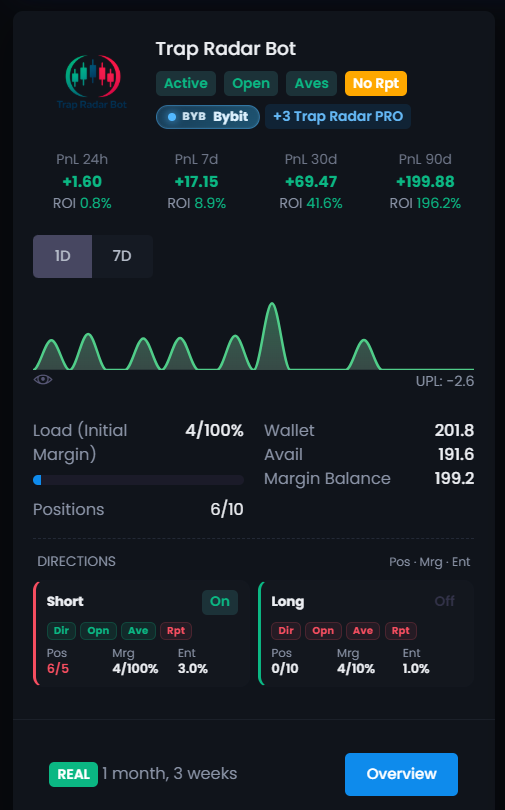
Once the app is running, you can monitor bot status, positions, and closed-trade statistics. The example below is from one public user bot and applies only to the period shown.
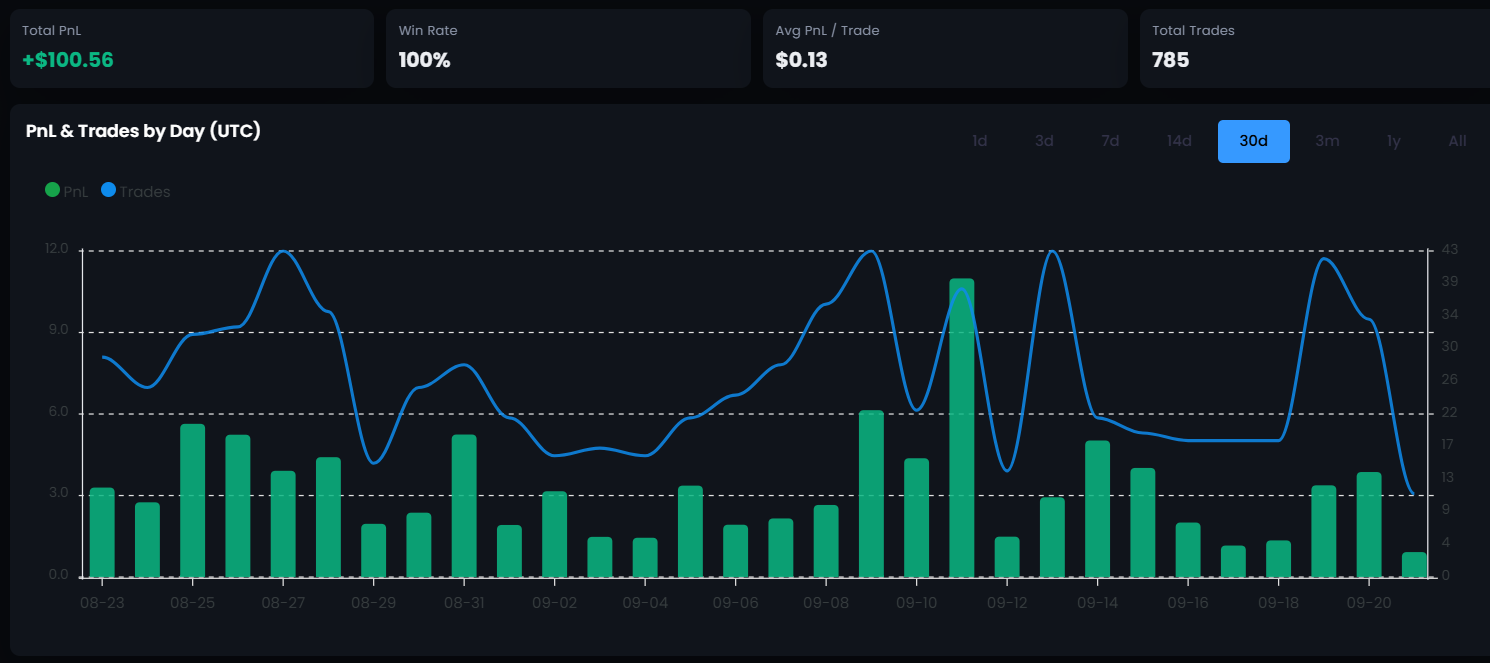
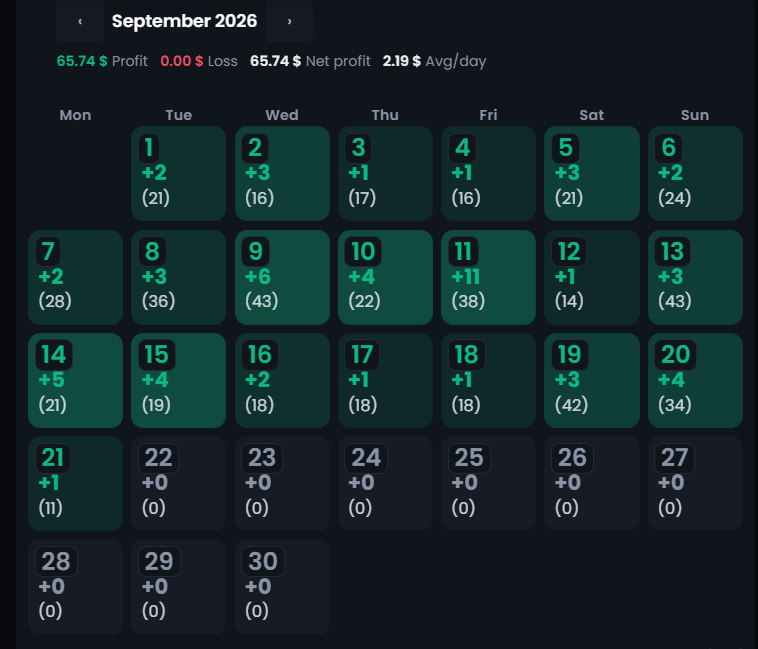
Running the app on your own machine does not require a fixed monthly bot payment. In live mode, the service fee applies only after a trade closes with positive net PnL.
Explore the interface and ready-made strategies without connecting real capital.
Connect a supported exchange and pay a service fee only after a trade closes with positive PnL.
The execution app runs on your own computer or VPS and sends orders to your connected crypto exchange through an API.
No. You can run the app on your own computer. A VPS is useful when you want the bots to stay online around the clock without depending on your home PC.
Your funds remain in your Bybit or Binance account. Crypto Resources does not take custody of your deposit; the app connects to the exchange through an API.
No. The bot needs account-data and trading permissions. Withdrawal access is not required and should remain disabled.
The app runs on Windows, Linux, or a VPS and connects to Bybit or Binance. Available markets depend on the selected bot.
Yes. Demo mode lets you explore the interface and bot settings without connecting real capital.
Choose a ready-made strategy, review its setup, and prepare your computer or VPS for execution.