Install the application
Run Crypto Resources on Windows, Linux, or a VPS. The app has to stay online for the bot to keep working.
Installation guides →Run Binance futures strategies on your computer or VPS. Pay the service fee only after a trade closes in profit.
This is a cryptocurrency bot specifically for Binance futures. Install the app, connect the exchange through the API, and set the strategy rules. The deposit stays in your exchange account.
Run Crypto Resources on Windows, Linux, or a VPS. The app has to stay online for the bot to keep working.
Installation guides →Enable account read access and trading permissions. Withdrawal access is not required for the strategy.
API guides →Check the direction, first-entry size, position cap, and trade-completion rules before you activate it.
Go to the bots →The trading bot does not hold the deposit and does not move funds between venues. Its job is to turn the chosen strategy conditions into an exchange order and record the API response.
The execution app watches the scenario conditions and waits for them to be confirmed before it sends a trading command.
STRATEGY EVENTThe bot builds an order within the chosen direction and size, then sends it to the exchange.
ORDER REQUESTPosition status, close parameters, PnL, ROI, and exchange fees are stored in your account.
TRADE HISTORYYou create an API key with the trading permissions you need and set the trade size before launch. The deposit is not transferred to the service. Futures, especially with leverage, still carry the risk of loss.
The bots differ in direction, timeframe, and the source of the trading signal. Check the settings of a specific scenario before a live launch.
A futures short scenario for overheated impulse moves in the market.
The execution app runs on your machine and does not require moving the deposit to a third-party service.
Execution of conditions from OI, CVD, liquidations, volume, funding, and other market metrics.
A short checklist reduces the risk of a technical mistake. It does not make a strategy profitable, but it helps confirm that the account and the app are ready to execute.
After launch you can review the pair, direction, time, entry and exit prices, exchange fees, PnL, and ROI. That shows how the rules of a specific strategy worked.
Choose a futures scenario and check its settings before launch. There is no monthly payment for the bot: the service fee is charged only after a trade with positive net PnL.
Compare the logic of the Binance bots and set your own limits before connecting a live account.
Connect Binance and pay the service fee only after a trade closes in profit.
It connects to Binance through the API and executes a futures strategy by conditions the user chooses in advance. The bot automates orders and does not guarantee a result.
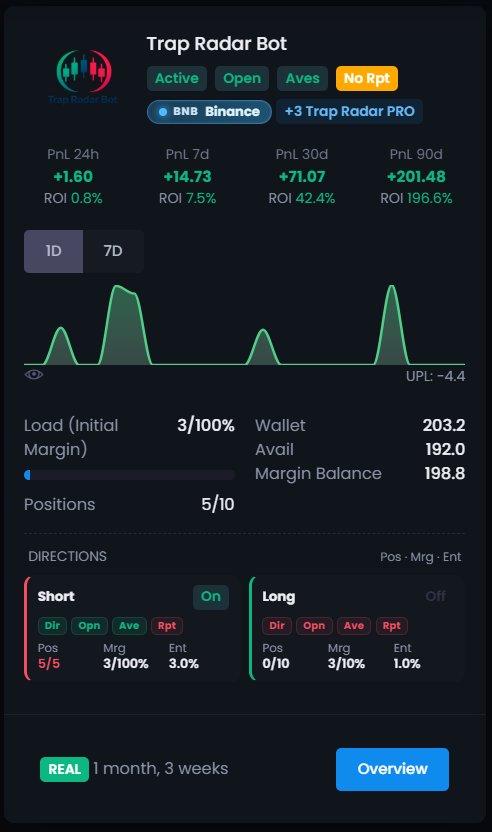
Yes. The direction depends on the scenario: ST-Bot works with short, and Trap Radar Bot lets you configure long and short separately.
Before launch you set the first-entry size, the maximum position, and the exit rules. DCA is available only in Trap Radar Bot and Trap Radar PRO.
No. The bot needs account read access and trading permissions. Withdrawal access does not need to be enabled.
The app runs on Windows, Linux, or a VPS and has to stay online while the strategy is active.
Study the rules of the chosen bot, check that the API key has no withdrawal permission, and review the trade direction, first-entry size, position cap, and exit conditions.
No. Automation does not remove volatility, liquidation risk, or possible losses.
Compare ready-made scenarios, study the rules, and set limits before launching on a live account.